"Crawled, Currently Not Indexed": What It Means and How to Fix It
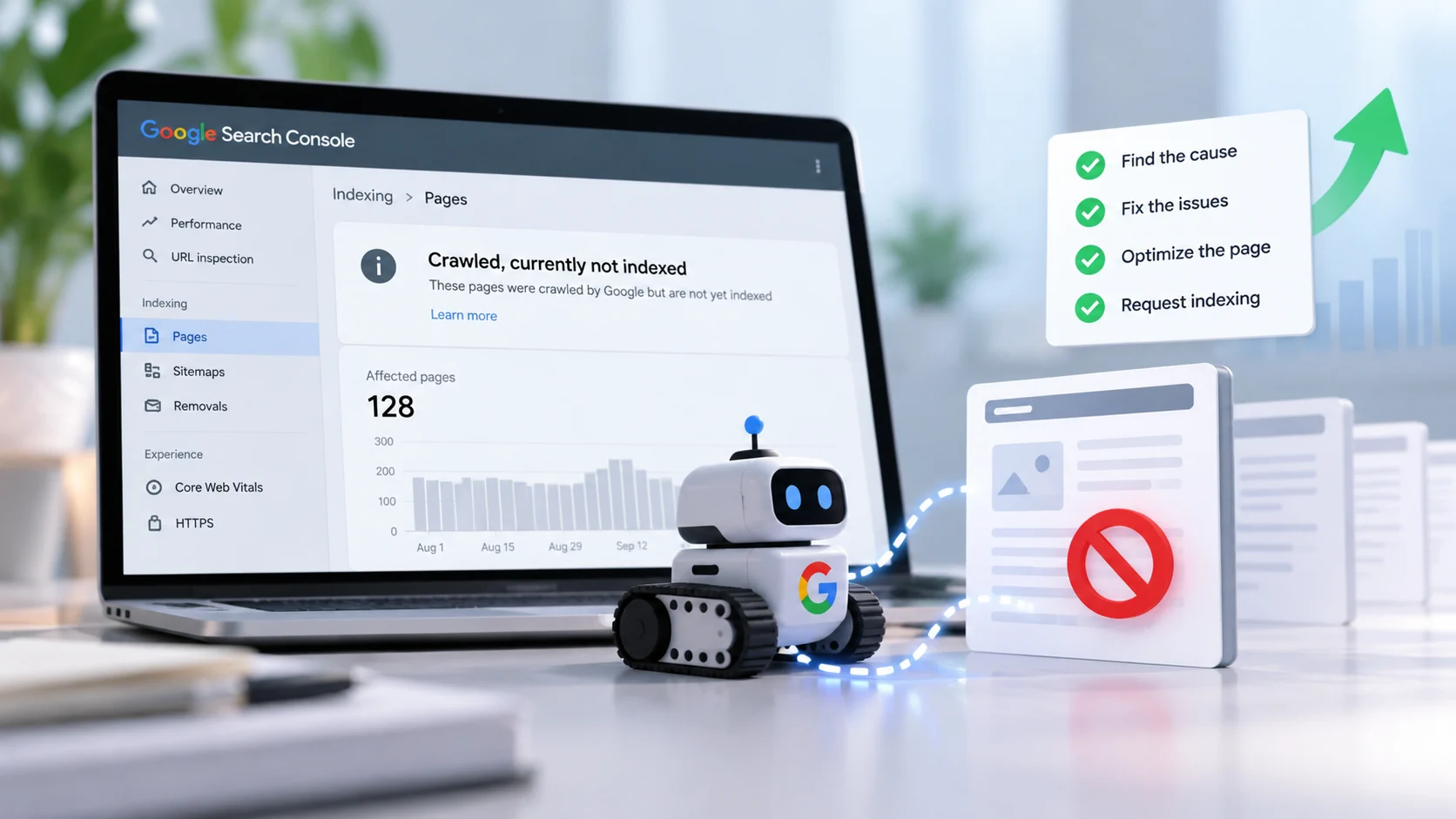
Seeing “Crawled, currently not indexed” in Google Search Console? Learn what the status means, why it happens, and how to troubleshoot indexing issues with a practical SEO workflow.
SEOmate editorial guide · Updated October 13, 2026
The short answer
“Crawled, currently not indexed” means Google has visited and crawled a URL but has not added it to its search index at the time of reporting. The status does not automatically indicate a technical error or penalty. Google may need to reassess the page, or it may not currently consider the page useful or distinct enough to index.
Crawling and indexing are different steps. Google can access a page successfully without deciding to include it in search results. The best next step is to inspect the URL, check its technical signals, and evaluate whether it provides unique value to searchers.
What does “Crawled, currently not indexed” mean?
In Google Search Console, this status indicates that Google crawled the page but has not indexed it. Until the page is indexed, it generally will not appear in Google's organic search results for relevant queries.
For example, you may publish a blog post and find that Googlebot has visited the URL, but the page still does not appear in search results. URL Inspection may show “Crawled, currently not indexed.” This confirms that crawling has occurred, not that indexing is guaranteed.
Google does not need to index every URL on a website. Focus on important, canonical pages that are intended to attract search traffic.
Is it a serious SEO issue?
The impact depends on which URLs are affected. Duplicate URLs, low-value filtered pages, and pages that are not intended for search visibility may reasonably remain outside the index. If important blog posts, service pages, or product pages are affected, investigate further because those URLs may not be able to attract organic search traffic while unindexed.
Crawled, currently not indexed vs. discovered, currently not indexed
| Status | What it means | Where to investigate |
|---|---|---|
| Crawled, currently not indexed | Google crawled the page but has not indexed it. | Content value, duplication, canonical signals, internal links, and technical accessibility. |
| Discovered, currently not indexed | Google knows the URL exists but has not yet crawled it. | Crawl prioritisation, internal links, server capacity, and crawl efficiency. |
These statuses are diagnostic clues, not definitive explanations. Check the individual URL and the wider site before deciding on a fix.
Why Google crawls a page but does not index it
1. Thin or low-value content
A page with generic explanations, repetitive paragraphs, or little information beyond what is already available may offer limited value. Improve the page by answering the main question, adding useful examples, explaining practical steps, and removing filler. Do not add words solely to make the article longer.
2. Duplicate or near-duplicate content
Multiple URLs may serve substantially similar content, including parameter variations, HTTP and HTTPS versions, or location pages that differ only by a place name. Compare related URLs, consolidate pages where appropriate, and use a correct canonical tag to indicate the preferred version. Google may treat canonical tags as signals rather than absolute directives.
3. Weak internal linking
A page with few relevant internal links can be harder for visitors and search engines to discover within the site's structure. Link to it from relevant articles, category pages, topic hubs, or useful tool pages. Use descriptive anchor text and ensure the destination is reachable through normal HTML links.
4. Incorrect canonical tags
If a page's canonical tag points to another URL unintentionally, Google may choose the other URL as the preferred version. Use URL Inspection to review the user-declared and Google-selected canonical URLs when available. Ensure canonical signals, redirects, internal links, and sitemap entries consistently point to the intended preferred URL.
5. Overlapping pages and search intent
Several pages targeting almost identical queries may repeat the same information without serving distinct needs. Review their purpose and content. Consolidate overlapping pages when one stronger resource can satisfy the same intent, or differentiate pages that genuinely answer different questions.
6. Website architecture and crawl signals
Orphan pages, excessive URL variations, duplicate category pages, and large numbers of low-value URLs can make it harder to prioritise important content. Organise pages into clear categories, link related content, and reduce unnecessary URL duplication.
7. Search intent mismatch
A page can be original but still not provide the format or information a searcher expects. Review the target query and make sure the content answers it directly with appropriate explanations, instructions, comparisons, or examples.
8. Server errors or unstable page delivery
Intermittent server errors, unexpected redirects, or important content that is unavailable to Googlebot can interfere with processing. Check the expected HTTP status code, test the page more than once, and review server logs when available.
How to fix “Crawled, currently not indexed” step by step
Step 1: Inspect the URL in Google Search Console
Open the correct Search Console property, go to URL Inspection, and enter the affected URL. Review the indexing status, last crawl date, crawl details, and canonical information where available. Use these details as evidence for diagnosis rather than assuming the status identifies one exact cause.
Step 2: Check whether the page is indexable
- Confirm that the page is not unintentionally marked
noindex. - Check that robots.txt is not blocking crawling in a way that conflicts with your intended setup.
- Verify the canonical tag points to the preferred URL.
- Confirm that the URL returns the expected HTTP status code and does not redirect unexpectedly.
- Make sure important content is accessible to Googlebot.
Robots.txt and noindex serve different purposes. Blocking a URL in robots.txt does not reliably prevent it from being indexed if Google discovers it through other signals.
Step 3: Review and improve the content
Check whether the page answers the target question clearly, includes accurate and useful information, and provides a distinct reason to exist. Add examples or practical detail where they genuinely help. If the content is already strong, investigate technical signals and duplication instead of rewriting it unnecessarily.
Step 4: Compare search intent and competing content
Review the type of content appearing for the target query. Look for gaps in intent, format, useful examples, or topic coverage. Use this research to make the page more helpful, not to copy competing pages.
Step 5: Add relevant internal links
Link to the affected URL from related, established pages. Suitable locations may include a parent category, a related article, a topic hub, or a relevant tool page. Internal links support discovery and site structure, but they do not guarantee indexing.
Step 6: Check the XML sitemap
If the URL is canonical and intended for indexing, confirm it is included in the sitemap. Keep the sitemap focused on preferred, indexable URLs rather than redirects, duplicate URLs, or pages intentionally excluded from search.
Step 7: Request indexing after meaningful changes
After fixing issues, use URL Inspection to test the updated page and select Request Indexing when appropriate. Repeatedly submitting an unchanged URL is not a substitute for fixing the underlying problem. A request does not guarantee indexing, and there is no universal timeframe for resolution.
Step 8: Monitor the outcome
Check whether Google has recrawled the page and whether its indexing status or selected canonical has changed. For many affected URLs, group them by template, page type, or likely cause so you can prioritise shared fixes.
Also Read: How to Write Content That Gets Cited in Google AI Overviews
Should you delete pages that are not indexed?
No. Decide based on the page's purpose and value, not its status alone.
- Keep and improve it if it offers useful, distinct information or supports an important service or topic.
- Consolidate it if it substantially overlaps with another page and one stronger resource can meet the same need.
- Redirect it when it has been permanently replaced by a relevant alternative.
- Remove or exclude it if it is obsolete, unnecessary, or not intended for search visibility.
Can AI-generated content cause indexing issues?
AI-generated content is not automatically excluded from Google's index. The important consideration is whether the content is useful, accurate, original, and created for people rather than primarily to manipulate search rankings. Large volumes of generic or repetitive pages may struggle to offer meaningful differentiation.
Verify factual claims, include practical examples, provide first-hand experience only when it is genuine, and remove unsupported statements. No word count or AI detector score can guarantee indexing.
Common mistakes to avoid
- Repeatedly requesting indexing: resubmitting an unchanged URL does not resolve underlying issues.
- Adding words just to increase length: usefulness matters more than word count.
- Changing canonical tags without checking: incorrect changes can signal the wrong preferred URL.
- Deleting every unindexed page: some pages are worth improving or consolidating.
- Ignoring duplicate URLs: inconsistent canonical and URL signals can complicate indexing.
- Expecting immediate results: Google needs time to recrawl and reassess, and indexing is not guaranteed.
Frequently asked questions
How long does it take to fix “Crawled, currently not indexed”?
There is no fixed timeframe. Google may recrawl and reassess a page within days or longer, and some pages may remain unindexed even after improvements.
Does this status mean Google penalised my website?
No. The status alone does not indicate a manual action or penalty. Review technical accessibility, canonicalisation, duplication, and content value.
Can I request indexing for a page with this status?
Yes. Use URL Inspection when the page is accessible and intended for indexing, but understand that Google does not guarantee inclusion.
Does submitting a sitemap fix the issue?
A sitemap helps Google discover URLs but does not force indexing. Content, canonical, and technical issues may still need attention.
Should every page on my website be indexed?
No. Prioritise useful, canonical pages that serve visitors and support your website's objectives. Duplicate or low-value URLs may reasonably remain outside the index.
Can internal links help a page get indexed?
Relevant internal links help discovery and clarify site structure, but they cannot guarantee indexing.
Sources and further reading
Put this into practice
Use SEOmate's tools to review your website's technical setup and search performance as part of a consistent indexing workflow.
Generate an XML sitemap · Analyze Search Console data · Explore all SEOmate tools