On-Page SEO Checklist: The Complete Task List for 2026
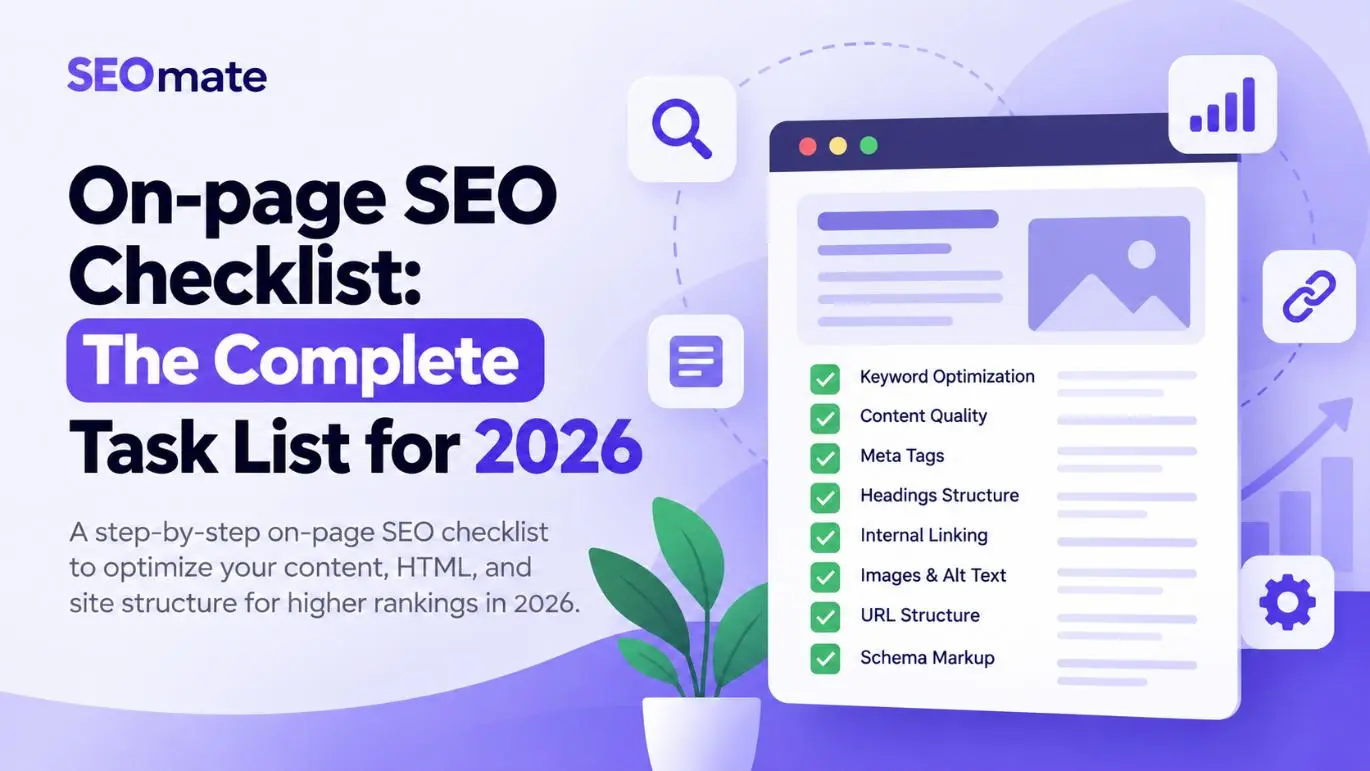
Use this practical on-page SEO checklist to optimize search intent, title tags, headings, content, internal links, images, structured data, indexability, and page experience. Follow the steps before publishing a new page or auditing an existing one.
SEOmate editorial guide · Updated October 15, 2026
The short answer
On-page SEO is the process of improving individual webpages so search engines can understand their content and users can find the information they need. Start with search intent and helpful content, then optimize metadata, headings, URLs, internal links, images, structured data, canonical signals, mobile usability, and performance.
No single checklist item guarantees a ranking. Use the tasks below to make each page relevant, useful, accessible, and technically consistent.
In this guide
What Is On-Page SEO?
On-page SEO is the practice of optimizing the content and page-level elements of a website to help search engines understand a page and help visitors use it effectively. Common tasks include keyword and search-intent research, title and meta description optimization, heading structure, internal linking, image accessibility, and relevant structured data.
On-page SEO differs from technical SEO, which focuses more broadly on crawling, rendering, indexing, site architecture, and performance, and off-page SEO, which includes backlinks and digital PR. These areas overlap. For example, internal linking is a page-level optimization, while crawlability is also a technical consideration.
Why Is On-Page SEO Important in 2026?
- Search relevance: Clear titles, headings, and content help communicate what a page covers.
- Search intent: The right format and depth help the page meet the searcher's actual need.
- Search result presentation: Descriptive titles and relevant meta descriptions can help users decide whether to click.
- Discovery: Relevant internal links help visitors and search engines find related pages.
- Usability: Readable content, accessible images, mobile-friendly layouts, and good performance support a better experience.
Google recommends creating helpful, reliable, people-first content. Read its guidance on creating helpful content.
The Complete On-Page SEO Checklist for 2026
Use this list when publishing a new page or reviewing an existing URL. Prioritize items based on search intent, page importance, and the actual issue identified.
1. Keyword Research and Search Intent
- Identify the page's primary keyword or main search topic.
- Determine whether the intent is informational, commercial, transactional, or navigational.
- Review the search results to understand the formats users expect.
- Find relevant secondary keywords, long-tail variations, and related questions.
- Assess search demand and business relevance where data is available.
- Map the topic to the most appropriate existing or new URL.
- Check for other pages on your site targeting the same intent.
- Assign supporting topics to sections where they genuinely belong.
Example: Someone searching for “best running shoes” is likely comparing products, while someone searching “how to clean running shoes” wants instructions. The content format should match the query's intent.
2. Optimize the Title Tag
- Write a unique title for each important indexable page.
- Describe the page accurately and clearly.
- Include the primary topic naturally when it makes sense.
- Make the title distinct from titles on similar pages.
- Avoid keyword stuffing, misleading promises, and repetitive wording.
- Check whether Google displays a rewritten title in search results.
Example: On-Page SEO Checklist for 2026: 35+ Essential Tasks
Around 50–60 characters can be a useful editorial starting point, but it is not a strict Google limit. Search result title links are displayed according to available space and may be generated from multiple page signals.
3. Write a Useful Meta Description
- Write a unique description that summarizes the page.
- Explain what the reader will learn or be able to do.
- Use the primary topic naturally if it fits.
- Use clear, specific language rather than generic claims.
- Avoid duplicating descriptions across many URLs.
- Review important pages for misleading or irrelevant snippets.
Example: “Follow this complete on-page SEO checklist for 2026. Learn how to optimize titles, headings, content, internal links, images, schema, and technical elements.”
A description of roughly 140–160 characters is a practical writing guideline, not a ranking factor or guaranteed display length. Google may generate a different snippet for a particular query.
4. Create a Clear URL
- Use a concise, descriptive URL slug.
- Separate words with hyphens and use a consistent lowercase convention.
- Remove unnecessary words or parameters when appropriate.
- Keep URL patterns consistent across similar page types.
- Avoid changing established URLs without a meaningful reason.
- If a URL must change, redirect the old URL to the relevant replacement.
- Use the preferred URL consistently in internal links and canonical tags.
Example: https://example.com/blog/on-page-seo-checklist/
5. Structure Headings Logically
- Use a clear H1 that describes the main page topic.
- Organize main sections with H2 headings.
- Use H3 headings for relevant subsections.
- Make each heading accurately describe the content below it.
- Avoid repeating the same exact keyword unnaturally in headings.
- Check that important headings are present in the rendered page.
A logical hierarchy could be H1 “On-Page SEO Checklist for 2026,” H2 “Optimize the Title Tag,” and H3 “Title Tag Example.” Use the structure that best helps readers navigate the page.
6. Optimize Content for Search Intent and Usefulness
- Answer the main question near the beginning of the relevant section.
- Cover the subtopics needed to satisfy the user's intent.
- Add useful examples, instructions, comparisons, or original analysis.
- Verify factual claims, statistics, and recommendations.
- Link to trustworthy sources when evidence is needed.
- Remove filler, repetition, and vague statements.
- Update information that has become inaccurate or outdated.
- Proofread for grammar, clarity, and readability.
- Ensure the article delivers on the title's promise.
There is no universal word count that guarantees rankings. Write enough to solve the reader's problem, and do not add paragraphs solely to make the page longer.
7. Use Keywords Naturally
- Use the main topic in relevant page elements where appropriate.
- Include meaningful synonyms and related concepts where useful.
- Use supporting terms in sections that genuinely discuss them.
- Avoid awkward sentences created just to insert a keyword.
- Do not optimize to a fixed keyword-density percentage.
- Review the page for repetitive, unnatural wording.
For a page about a technical SEO audit, relevant concepts might include crawling, indexing, canonical tags, XML sitemaps, rendering, and Core Web Vitals. Include them when they help explain the topic, not as a forced keyword list.
8. Improve Readability and Layout
- Keep paragraphs focused on one main idea.
- Use lists for grouped details and numbered steps for sequential tasks.
- Add descriptive subheadings to long sections.
- Use tables when readers need to compare options.
- Explain technical terms when writing for beginners.
- Maintain sufficient spacing and readable text sizes.
- Avoid pop-ups or promotions that obstruct the main content.
- Check the layout on desktop and mobile screens.
9. Add Relevant Internal Links
- Link to relevant supporting guides, category pages, products, or services.
- Use descriptive anchor text that tells users what to expect.
- Link from established, relevant pages to important new content.
- Check that internal links lead to the intended destination.
- Fix broken links and avoid unnecessary redirect chains.
- Find important pages with few or no internal links.
- Keep links relevant and useful rather than adding them to meet a quota.
For this article, useful related resources might include a technical SEO audit guide, keyword research guide, internal linking tutorial, schema markup guide, and Core Web Vitals guide. Link to existing relevant pages where possible.
10. Use External Links Where They Add Value
- Reference reliable documentation or original research for important claims.
- Use relevant, descriptive anchor text.
- Check that linked resources are still available and useful.
- Mark sponsored or paid links appropriately.
- Avoid links to low-quality sources added only to increase link counts.
11. Optimize Images and Media
- Use relevant, clear images that support the content.
- Choose descriptive filenames.
- Write meaningful alt text for informative images.
- Use an empty alt attribute for purely decorative images.
- Avoid keyword stuffing in alt text.
- Compress images and use suitable formats such as WebP or AVIF.
- Specify width and height to help prevent layout shifts.
- Use responsive image techniques where appropriate.
- Lazy-load suitable below-the-fold images.
- Avoid lazy-loading the main visible image if it delays its discovery.
Example filename: on-page-seo-audit-checklist.webp
Example alt text: “On-page SEO audit checklist showing title, heading, and internal link checks.” Alt text should describe the actual image and its purpose.
12. Add Relevant Structured Data
- Choose schema types that accurately describe the page.
- Use JSON-LD when suitable for the implementation.
- Ensure markup matches visible, genuine page content.
- Do not invent ratings, reviews, prices, or other properties.
- Validate markup with the Schema Markup Validator.
- Use Google's Rich Results Test for supported rich-result types.
- Update structured data when the page content changes.
Depending on the page, relevant types may include Article, BreadcrumbList, Product, Organization, or VideoObject. Schema is not a universal ranking boost, and valid markup does not guarantee a rich result.
13. Check Canonical Tags and Duplicate Content
- Confirm the canonical URL is the intended preferred version.
- Use consistent protocol, hostname, and trailing-slash conventions.
- Review parameter-based URLs and product variations.
- Check for conflicting or irrelevant canonical declarations.
- Align internal links with the preferred URL.
- Use redirects when a URL has permanently moved and should no longer be accessed at its old location.
- Review the Google-selected canonical in Search Console when necessary.
Canonical tags are signals, not absolute directives. Google can select a different canonical based on other evidence.
14. Verify Indexability and Search Accessibility
- Confirm the page is intended to be indexed.
- Check the HTTP response status.
- Review robots meta tags and any
X-Robots-Tagheaders. - Look for unintended
noindexdirectives. - Check that the page is not blocked from crawling unintentionally.
- Confirm the canonical URL is appropriate.
- Include eligible canonical URLs in the relevant XML sitemap.
- Inspect important URLs in Google Search Console.
- Check rendered content if the site relies on JavaScript.
Crawling, indexing, and ranking are separate processes. A crawlable page is not guaranteed to be indexed, and an indexed page is not guaranteed to rank prominently.
15. Check Mobile Usability
- Use a responsive layout.
- Keep important content consistent between mobile and desktop.
- Ensure text is readable without horizontal scrolling.
- Make buttons and links easy to tap.
- Check navigation, forms, images, and tables on smaller screens.
- Avoid intrusive interstitials that block access to content.
- Verify that important links remain accessible.
16. Review Core Web Vitals and Performance
| Metric | Measures | Good target |
|---|---|---|
| Largest Contentful Paint (LCP) | Loading performance | 2.5 seconds or less |
| Interaction to Next Paint (INP) | Responsiveness | 200 milliseconds or less |
| Cumulative Layout Shift (CLS) | Visual stability | 0.1 or less |
These targets are evaluated at the 75th percentile of page visits, with mobile and desktop assessed separately.
- Measure performance with PageSpeed Insights.
- Review field data when available.
- Optimize oversized images and unnecessary scripts.
- Investigate render-blocking resources and slow server responses.
- Specify image dimensions and address layout shifts.
- Investigate long JavaScript tasks that affect responsiveness.
- Re-test after implementing fixes.
Good Core Web Vitals support user experience but do not guarantee high rankings.
17. Optimize for Conversions
- Make the primary call to action clear and relevant to the page intent.
- Ensure contact details, forms, or purchase options are easy to find.
- Display accurate product, service, shipping, and pricing information where relevant.
- Use genuine trust signals when appropriate.
- Remove unnecessary friction from conversion steps.
- Test forms, buttons, and checkout functions.
- Track meaningful leads, purchases, or other conversions.
On-Page SEO Checklist for Ecommerce Websites
Ecommerce websites need additional checks for product pages, categories, filters, variants, and similar URLs.
Category pages
- Target a clear category-level search intent.
- Write unique title tags, meta descriptions, and H1s.
- Add helpful introductory content when it benefits shoppers.
- Display products that genuinely match the category.
- Provide crawlable links to product pages and useful breadcrumbs.
- Review whether filter combinations should be crawlable or indexable.
- Avoid reusing identical category descriptions across many URLs.
Product pages
- Use a unique product title and description.
- Show accurate prices, availability, and specifications.
- Provide clear product images with appropriate alt text.
- Include dimensions, materials, compatibility, shipping, and returns information where relevant.
- Display genuine reviews only when available and eligible.
- Implement valid product structured data where appropriate.
- Handle product variants and canonical URLs consistently.
- Test the purchase flow on mobile.
| Page type | Example target | Primary focus |
|---|---|---|
| Category page | LED ceiling lights | Category relevance and product discovery |
| Product page | 12W LED recessed downlight | Specifications, images, availability, and purchase intent |
| Brand page | Brand-name LED lights | Brand-specific product discovery |
| Informational article | How to choose ceiling lights | Education and contextual internal links |
On-Page SEO for AI Search and Answer Engines
In 2026, consider how content may be interpreted by traditional search engines, AI-powered search features, and answer engines. Strong fundamentals still matter: useful content, accurate information, clear organization, accessible resources, and crawlable links.
- Answer important audience questions directly.
- Use descriptive headings that identify each section.
- Explain technical concepts in clear, unambiguous language.
- Include original insights, examples, and evidence.
- Support factual claims with credible sources.
- Make important content accessible in the rendered page.
- Keep author, organization, product, and service information accurate.
- Update content when facts or recommendations change.
- Avoid unsupported claims and fabricated statistics.
- Monitor search performance and relevant referral traffic.
No special schema, repeated Q&A format, or single optimization guarantees inclusion in AI-generated answers. Focus on making the content useful, trustworthy, and easy to understand.
Technical Elements to Check During an On-Page Audit
| Element | What to check | Useful tool |
|---|---|---|
| HTTP status | Page returns the expected response | Browser tools or SEO crawler |
| Canonical tag | Preferred URL is declared correctly | SEO crawler |
| Robots directives | No unintended crawling or indexing restrictions | Search Console and crawler |
| Sitemap inclusion | Eligible canonical URLs are included | XML sitemap and Search Console |
| JavaScript rendering | Important content and links are rendered | URL Inspection and rendering tools |
| Internal links | Important pages are discoverable | SEO crawler |
| Core Web Vitals | Loading, responsiveness, and stability | PageSpeed Insights |
| Structured data | Markup is relevant and valid | Schema Validator and Rich Results Test |
| Mobile rendering | Content and functionality work on small screens | Browser and PageSpeed Insights |
Best On-Page SEO Tools for 2026
Google Search Console
Review clicks, impressions, CTR, average position, indexing information, and URL inspection details. It is useful for finding pages with high impressions but relatively low CTR and queries already generating visibility.
Google Analytics 4
Measure what visitors do after arriving from organic search, including meaningful engagement, leads, purchases, and other conversions.
Google PageSpeed Insights
Review performance diagnostics and available field data for LCP, INP, CLS, images, scripts, and other performance opportunities.
Screaming Frog SEO Spider
Crawl a website to identify missing or duplicate titles, descriptions, headings, broken links, redirect chains, canonical inconsistencies, and other page-level issues.
Schema Markup Validator and Rich Results Test
Validate structured data and check eligibility for supported Google search enhancements. Valid markup does not guarantee that a rich result will appear.
Keyword research platforms, rank trackers, content analysis tools, and log analysis tools can provide additional value depending on website size and reporting needs.
Common On-Page SEO Mistakes to Avoid
Keyword stuffing
Repeating a phrase unnaturally makes content harder to read. Use natural language and cover related concepts only where they help explain the topic.
Duplicate metadata
Repeated titles and descriptions make pages harder to distinguish. Create unique metadata for important pages and use templates that generate page-specific values.
Ignoring search intent
A page can be well written but still fail to satisfy the expected query. Review the query and create the format users need.
Weak internal linking
Important pages may be difficult to discover when relevant internal links are missing. Add useful links from related pages.
Canonical and indexability errors
Good content cannot gain organic visibility if it is unintentionally excluded from indexing or canonicalized to another URL. Check directives, canonical tags, response codes, and Search Console data.
Writing to a fixed word count or keyword density
Neither a target word count nor a keyword-density percentage guarantees rankings. Focus on satisfying the user's needs.
Publishing generic AI-generated content
Content that repeats existing information without original value or review may not help readers. Validate claims, add real expertise, and ensure the final page solves the intended problem.
Changing pages without measuring outcomes
Verify the implementation and monitor performance over time. Rankings and traffic can change because of seasonality, competitors, algorithm updates, and other factors.
How to Conduct an On-Page SEO Audit Step by Step
Step 1: Select the pages to audit
Start with pages that matter to your business: high-traffic landing pages, important product or service pages, URLs losing clicks, pages with high impressions but low CTR, and new pages awaiting a pre-publication review.
Step 2: Record baseline performance
Collect clicks, impressions, CTR, average position, conversions, and relevant engagement data. Use Search Console for search performance and GA4 for on-site outcomes. Keep comparison periods consistent.
Step 3: Review search intent and content quality
Check whether the page answers the target query, covers relevant subtopics, provides original value, and contains accurate, up-to-date information.
Step 4: Audit metadata and headings
Review the title tag, meta description, H1, heading hierarchy, URL, and image alt attributes. Fix missing, duplicated, misleading, or poorly written elements according to priority.
Step 5: Review internal links
Find relevant pages that should link to the target. Check anchor text, destinations, broken links, and whether the page is difficult to discover.
Step 6: Check indexing and technical signals
Review HTTP status, canonical tags, robots directives, sitemap inclusion, rendered content, structured data, and mobile usability.
Step 7: Implement and verify changes
Make changes in the CMS or codebase, then confirm that the rendered page reflects the intended implementation. Test links, metadata, schema, and important functions.
Step 8: Monitor results
Compare performance with the baseline and allow time for search engines to recrawl and process changes. Look at trends rather than attributing every change to a single edit.
Frequently Asked Questions About On-Page SEO
1. What is an on-page SEO checklist?
An on-page SEO checklist is a structured list of tasks used to optimize individual webpages. It typically covers search intent, keywords, title tags, meta descriptions, headings, content, internal links, images, structured data, canonical tags, indexability, and performance.
2. What are the most important on-page SEO factors in 2026?
Start with search intent, useful and accurate content, descriptive titles, clear headings, relevant internal links, accessible images, correct indexing signals, and a good page experience. Prioritize issues based on their potential impact.
3. How many keywords should I target on a page?
There is no fixed number. Give the page a clear primary topic and cover related concepts naturally according to the user's needs.
4. Is a meta description a ranking factor?
Meta descriptions are not a direct Google ranking factor. A relevant description may help users decide to click, although Google can generate a different snippet for each query.
5. How often should I perform an on-page SEO audit?
Review each page when it is published. Audit important pages periodically and investigate performance changes. Large ecommerce sites may benefit from automated checks more frequently.
6. Does longer content rank better?
No. Longer content does not automatically rank better. The appropriate length depends on the query, complexity, and information needed to solve the user's problem.
7. Can I do on-page SEO without paid tools?
Yes. Google Search Console, GA4, PageSpeed Insights, and Google's structured data tools cover many essential tasks. Paid crawlers and keyword platforms can improve efficiency on larger sites.
8. How long does it take to see results from on-page SEO?
There is no fixed timeline. Results depend on recrawling, competition, technical conditions, content quality, and other factors. Monitor changes over time instead of expecting immediate ranking improvements.
9. Is schema markup necessary for every page?
No. Use structured data when a relevant schema type accurately describes the page and meets applicable guidelines. Valid markup does not guarantee a rich result.
10. What is the difference between on-page SEO and technical SEO?
On-page SEO focuses on page-level content and elements such as titles, headings, images, internal links, and structured data. Technical SEO focuses more broadly on crawling, rendering, indexing, architecture, redirects, and performance. Some tasks overlap.
Final On-Page SEO Checklist for 2026
Keyword and content planning
- Primary topic and search intent are defined.
- Supporting topics are mapped to relevant sections.
- Content is useful, accurate, and complete for the intended query.
- Content is proofread and updated where necessary.
Metadata and page structure
- Title tag is unique and descriptive.
- Meta description is relevant and compelling.
- URL is clear and descriptive.
- H1 and heading hierarchy are logical.
- Keywords are used naturally.
Links and media
- Relevant internal links are included.
- Important factual claims have appropriate sources.
- Internal links work and use descriptive anchor text.
- Images have appropriate filenames and alt attributes.
- Images are correctly sized and compressed.
Technical checks
- HTTP status and indexability are correct.
- Canonical URL and robots directives are appropriate.
- Important content is accessible in the rendered page.
- Relevant structured data is valid.
- Mobile usability and performance have been checked.
Measurement and maintenance
- Important conversions can be measured.
- Baseline performance is recorded.
- Changes have been verified after implementation.
- A monitoring or review process is in place.
Conclusion
On-page SEO in 2026 is about making each webpage useful, understandable, accessible, and relevant to its intended audience. Start with search intent and content quality, then optimize metadata, headings, internal links, images, structured data, and technical signals.
You do not need to apply every possible optimization to every page. Prioritize changes according to their likely impact, verify your implementation, and measure results over time. Use this checklist as part of a repeatable SEO workflow to maintain content quality and support sustainable organic search growth.
Put this checklist into practice
Use SEOmate's tools to work through common on-page and technical SEO tasks.
Generate title tags and meta descriptions · Create a clean URL slug · Generate schema markup · Analyze Search Console data